To search
Softonic Rating:
Excellent:9/10
License:
Evaluation
Added:
October 24, 2007
Updated:
August 13, 2008
Publisher:
Website
File size:
2.6 MB
Downloads:
85
Cyril Roger

“Share and edit iCal calendars”

by Cyril Roger

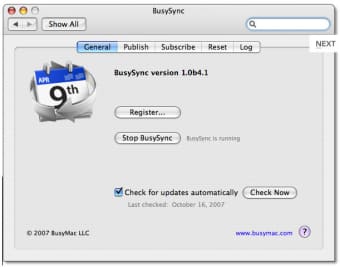
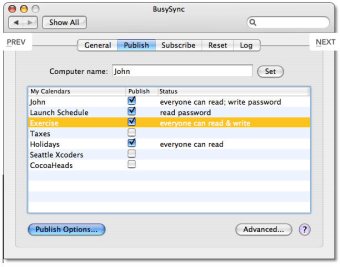
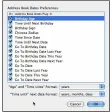
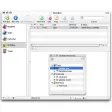
Nowadays online applications like Google or Yahoo! Calendar can easily be shared with other people. If you use iCal on Mac it's not that easy though. BusySync therefore comes in handy, as it lets you sync up multiple iCals to keep everybody up to date on upcoming events. From the BusySync interface, you'll be able to select the calendars you want to share and the rights you want to give to other users (read, read or read & write).

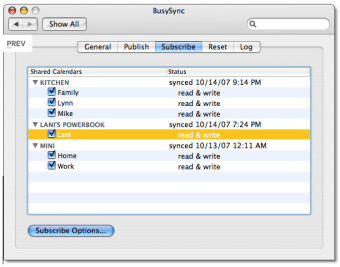
Using the Subscribe, you'll be able to monitor when calendars were synced and with whom. If you've been disconnected for a while, BusySync will automatically sync as soon you connect your Mac to your network again. BusySync works with the reliable Bonjour networking to sync iCals.

A nice feature to have to share iCal calendars with others.

Languages:

English, German, French, Japanese

Limitations:

30 day Trial Period

OS requirements for BusySync:

  • OS: Mac OS X

Minimum requirements:

  • Processor: PPC/Intel MHz
  • Mac OS X 10.4 or later
Pros
  • Sync with Bonjour
  • Give permissions to others
  • Sync at reconnect
Cons
  • Runs in preference pane instead of in iCal
Did you like this review?
5 of 9 users liked it (56%)

BusySync Softonic Rating: 9Featured program

Softonic gives special recognition to software of exceptionally high quality. More information

Posts about BusySync in our blog

BusySync options

BusySync Options

Reviews for BusySync in other languages

Softonic Rating:Excellent
User Rating
Your opinion is important!

Download stats

Related

Related searches


Are you the developer of BusySync?

If your program has received a Softonic rating, feel free to use the following award badge on your site or as part of any other promotional feature you may be putting together.

BusySync Softonic Rating

Click on the above text field to copy the necessary HTML to your clipboard and then paste it to your website. It will display your program's Softonic Rating and will link to your program page.

Any queries? Contact us if you want more info.

Close